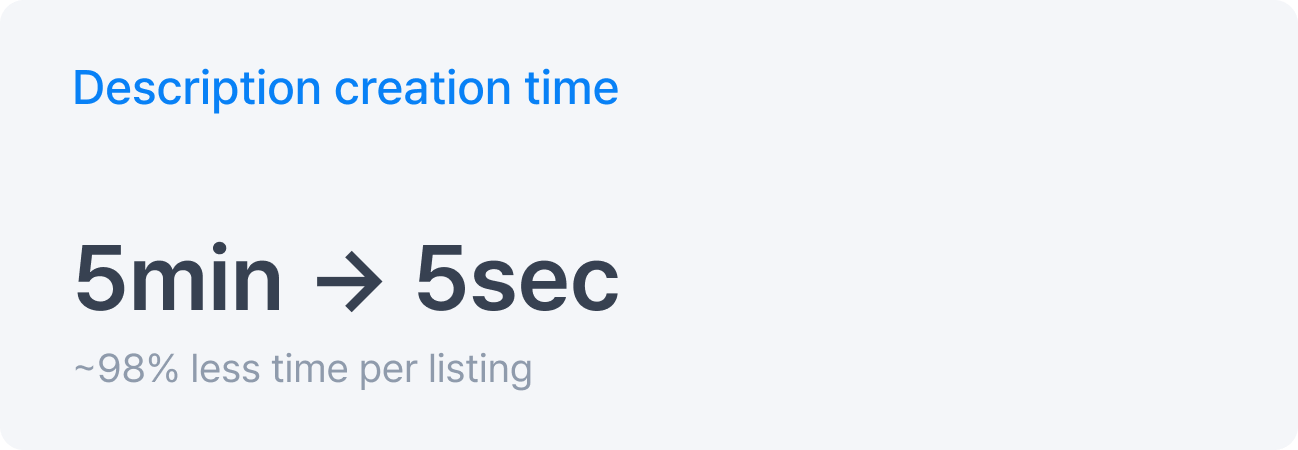
Reducing product description writing time from 5 minutes to 5 seconds with AI
Windly sellers had to manually write product descriptions for dozens to hundreds of imported products every day.
I designed an AI-assisted writing workflow that generated SEO-friendly descriptions inside the listing editor.
Product Designer · UX Researcher
3 weeks
1 PD, 1 PM, 1 FE, 1 BE
AI B2B SaaS Company
UX/UI, Workflow analysis, AI prompt requirements,
UX Research, post-launch impact analysis
01 Outcome
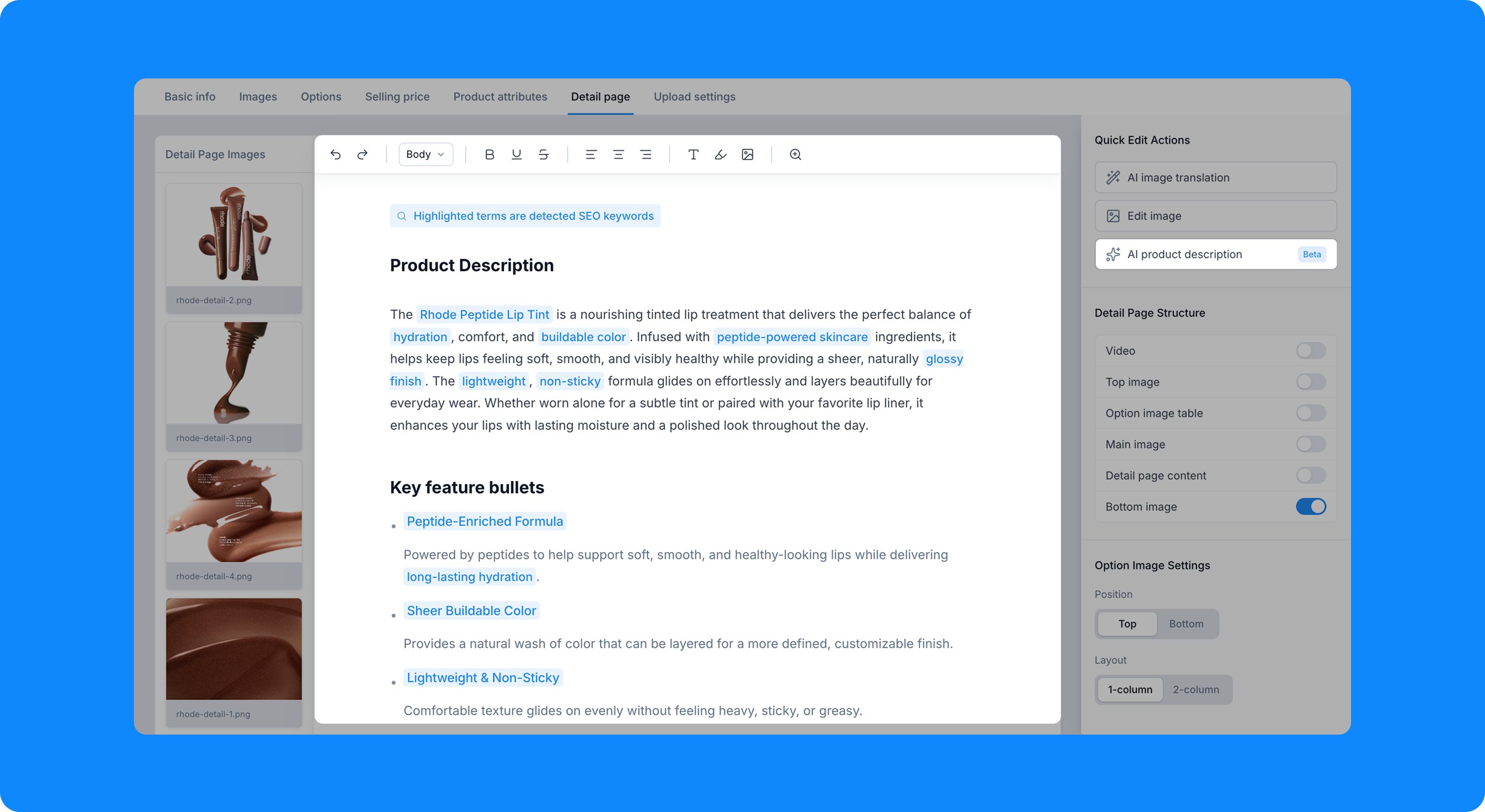
Before: Sellers had to manually translate and write every product description.
After: The “AI Product Description” feature reduced writing time while improving output quality.
02 Context
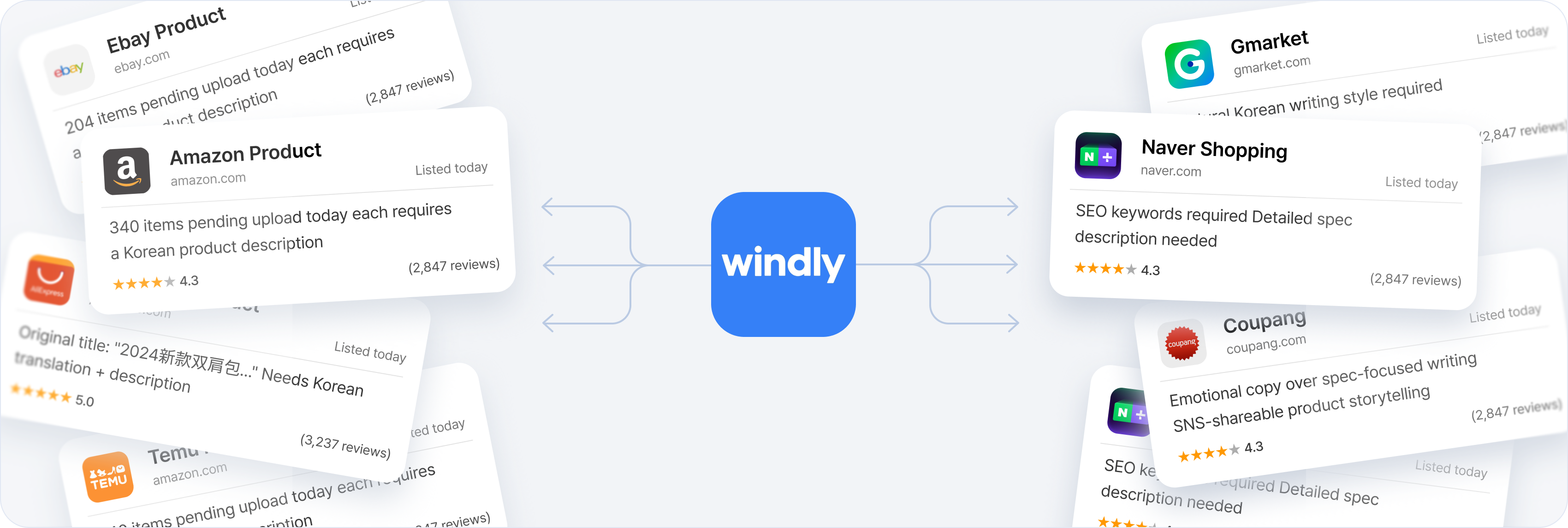
Windly helps cross-border sellers import products, localize listings, and publish to Korean sales channels.
Sellers use Windly to import product data from global marketplaces, localize listing content, and publish it to local channels. Because a single seller manages dozens to hundreds of products at once, publishing speed is a core part of Windly’s value.
03 Problem
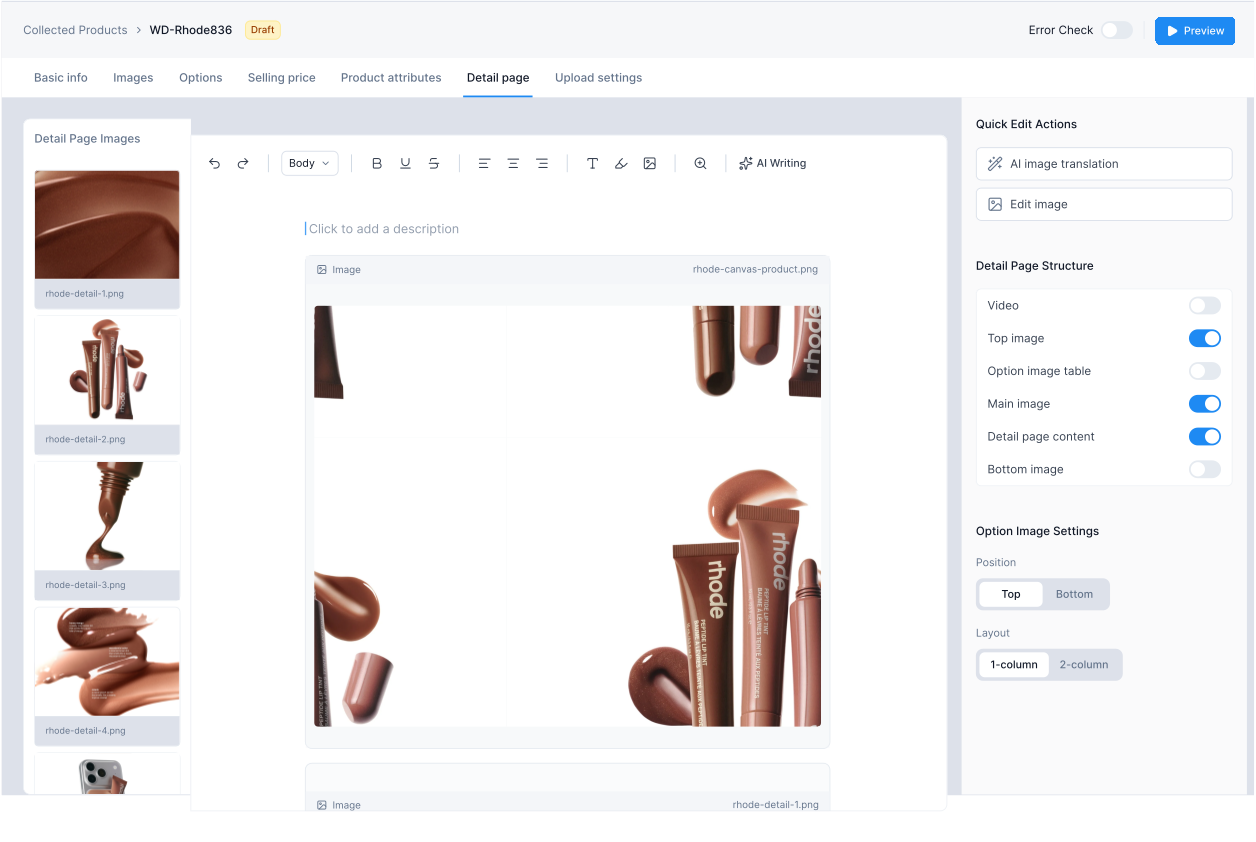
A small writing task became hours of work—500+ descriptions, written by hand at up to 5 mins each.
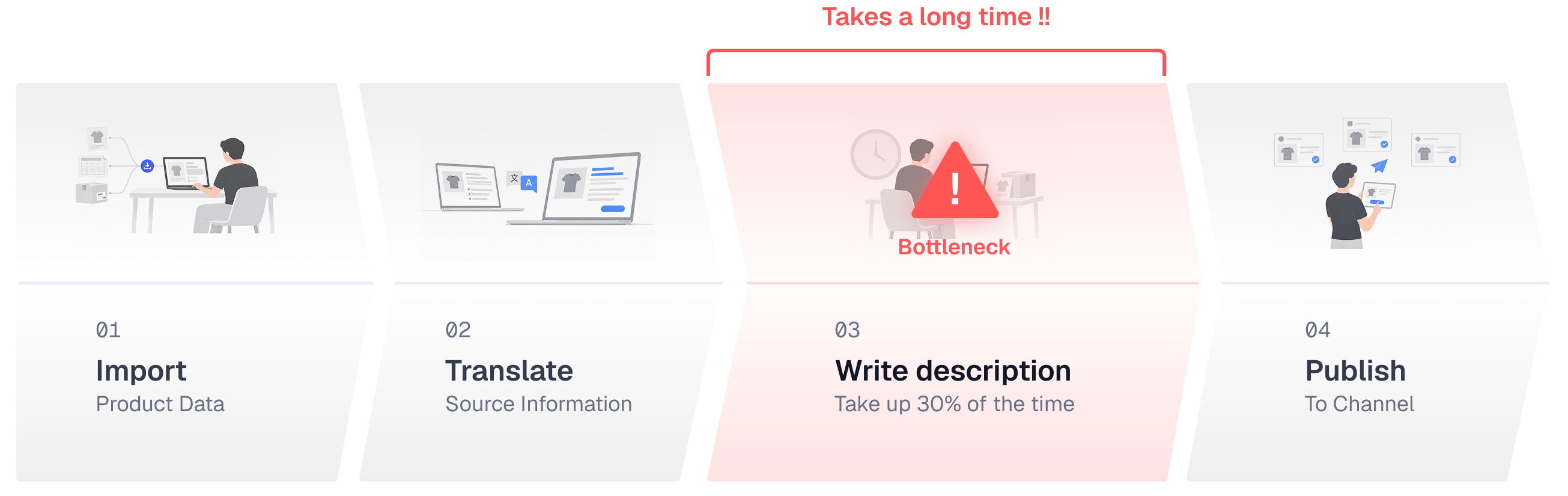
Product description writing remained a major manual step. Before publishing, sellers had to turn imported product data into localized copy with accurate details and search keywords—taking up 30% of the listing workflow.


04 Why It Mattered
This manual step broke Windly’s end-to-end workflow and slowed down the entire publishing process.
Writing product descriptions remained a major manual gap. If left unresolved, it could delay publishing, interrupt bulk-listing tasks, and drive sellers outside Windly—weakening the value of its broader workflow automation.
05 Existing Workaround
Sellers turned to AI to avoid manual writing,But 1 description still required 9 actions across 3 tools.
To create a product description, sellers copied product data from Amazon, opened an external AI tool, wrote a prompt, and moved the generated copy back into Windly. Sellers still had to coordinate product context, AI setup, content transfer, and final review across disconnected tools.
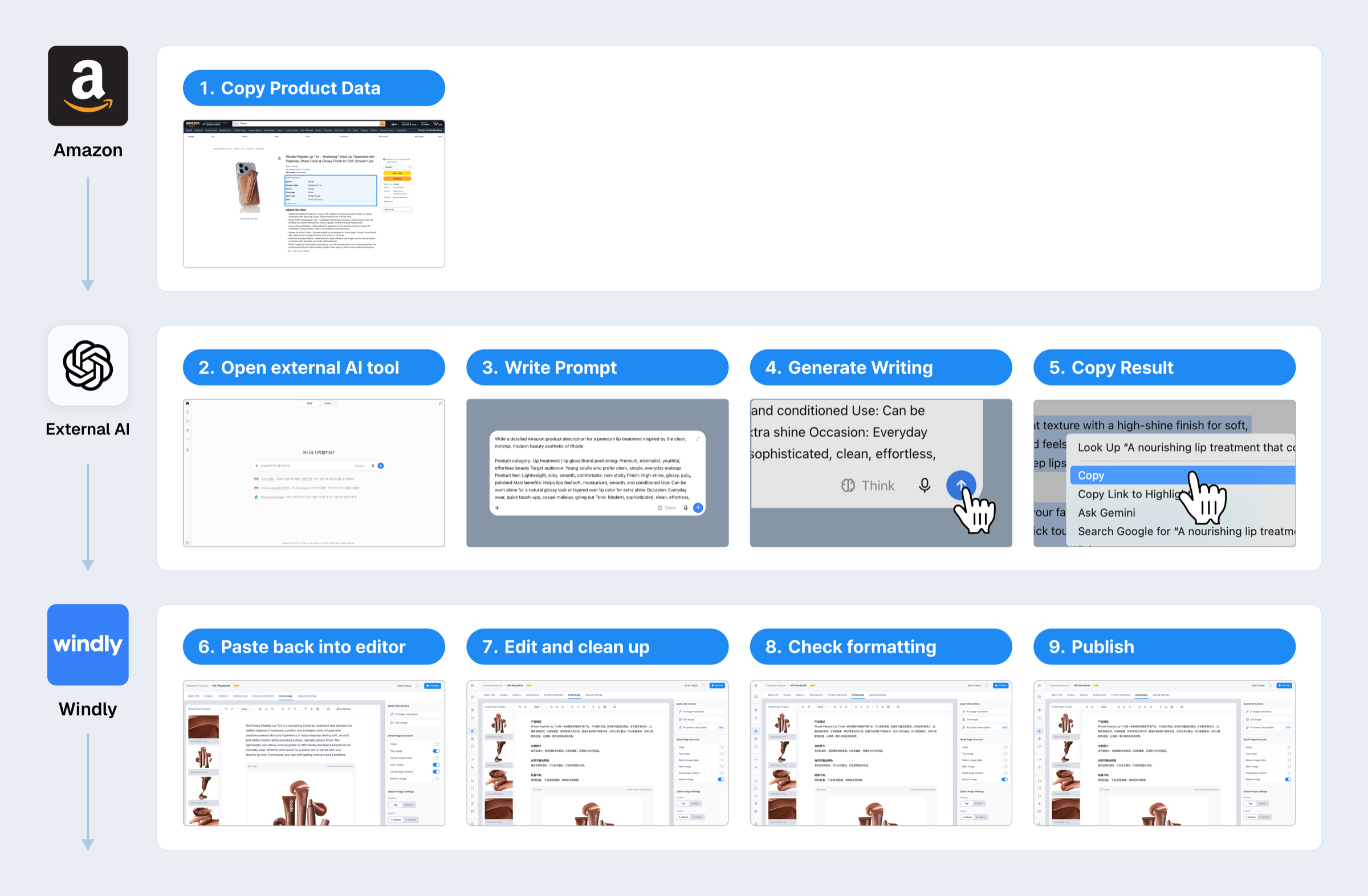
Key Insight: The delay came from coordinating context, AI, and content across disconnected tools.
06 My Mission
I defined what AI should automate and what sellers should still control.
I translated the workaround into three design requirements: make description writing simpler, faster, and high-quality while preserving seller control.
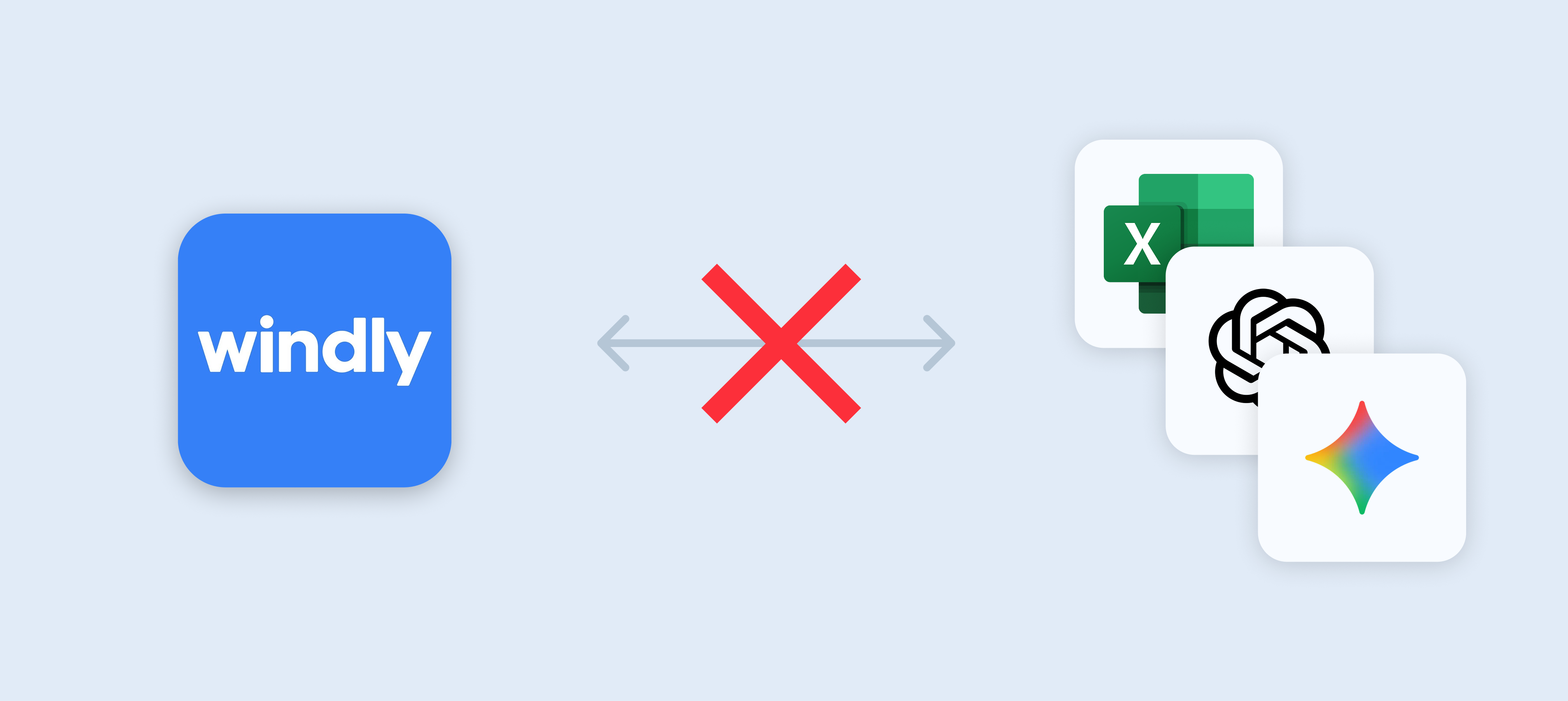
01 Simpler
Remove repetitive transfer and setup.
Keep product context, AI generation, and editing in one workflow.
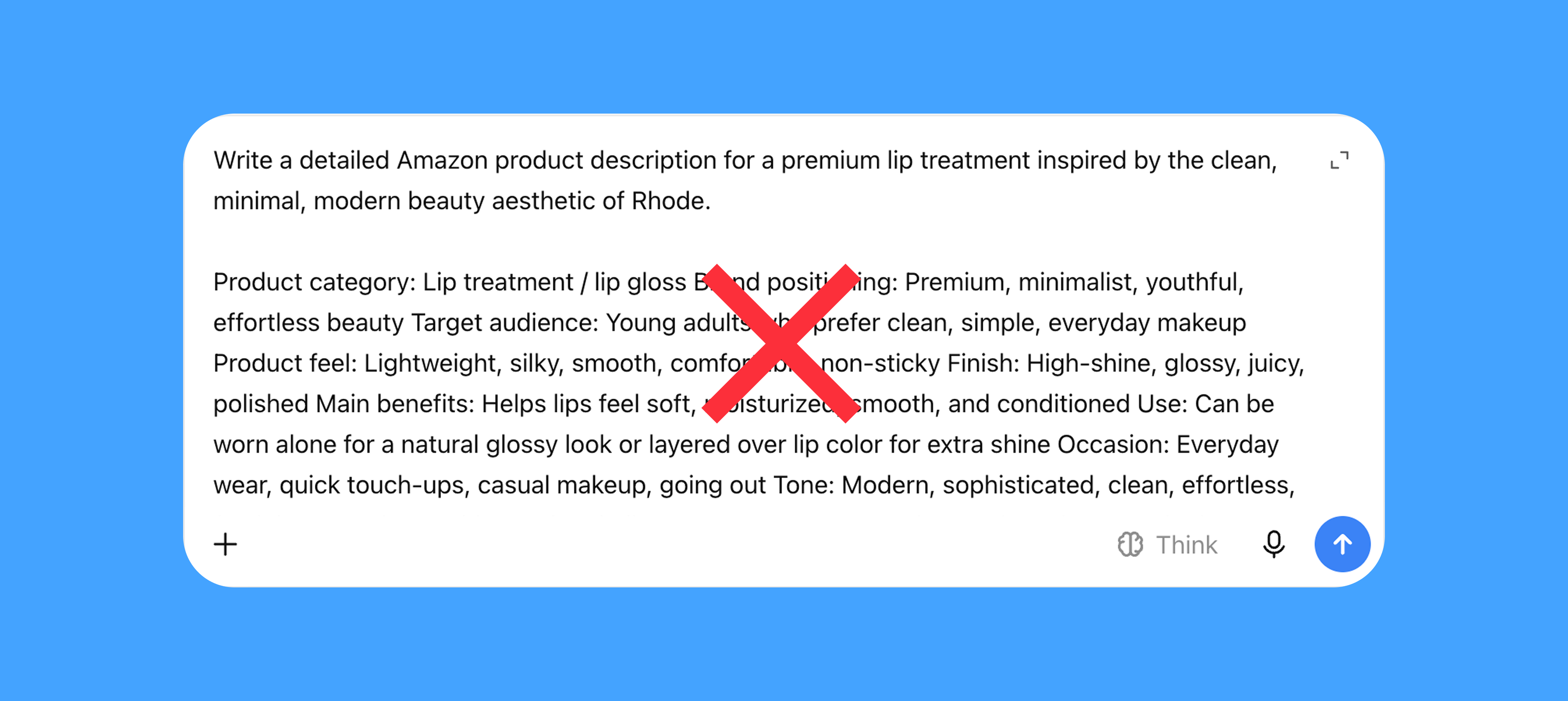
02 Faster
Reuse information Windly already has.
Automatically prepare product data and SEO context instead of asking sellers to copy data and write prompts.
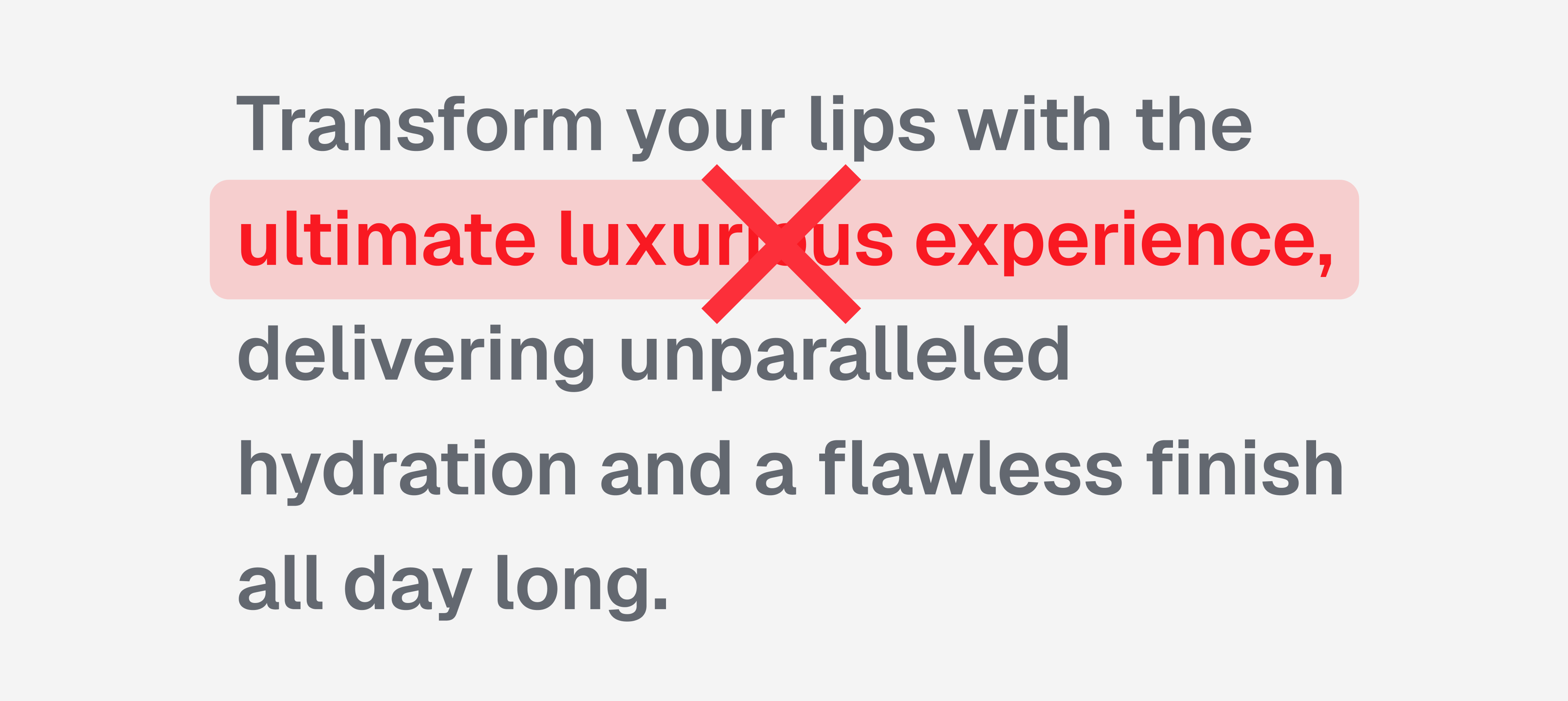
03 High quality
Keep sellers in control of the final copy.
Let sellers review and edit generated content before it enters the listing.
07 Solution
I turned a fragmented 9-step AI workaround
into a 3-step in-product experience.
Repetitive setup and content transfer were automated, while review and final approval remained explicit seller actions.
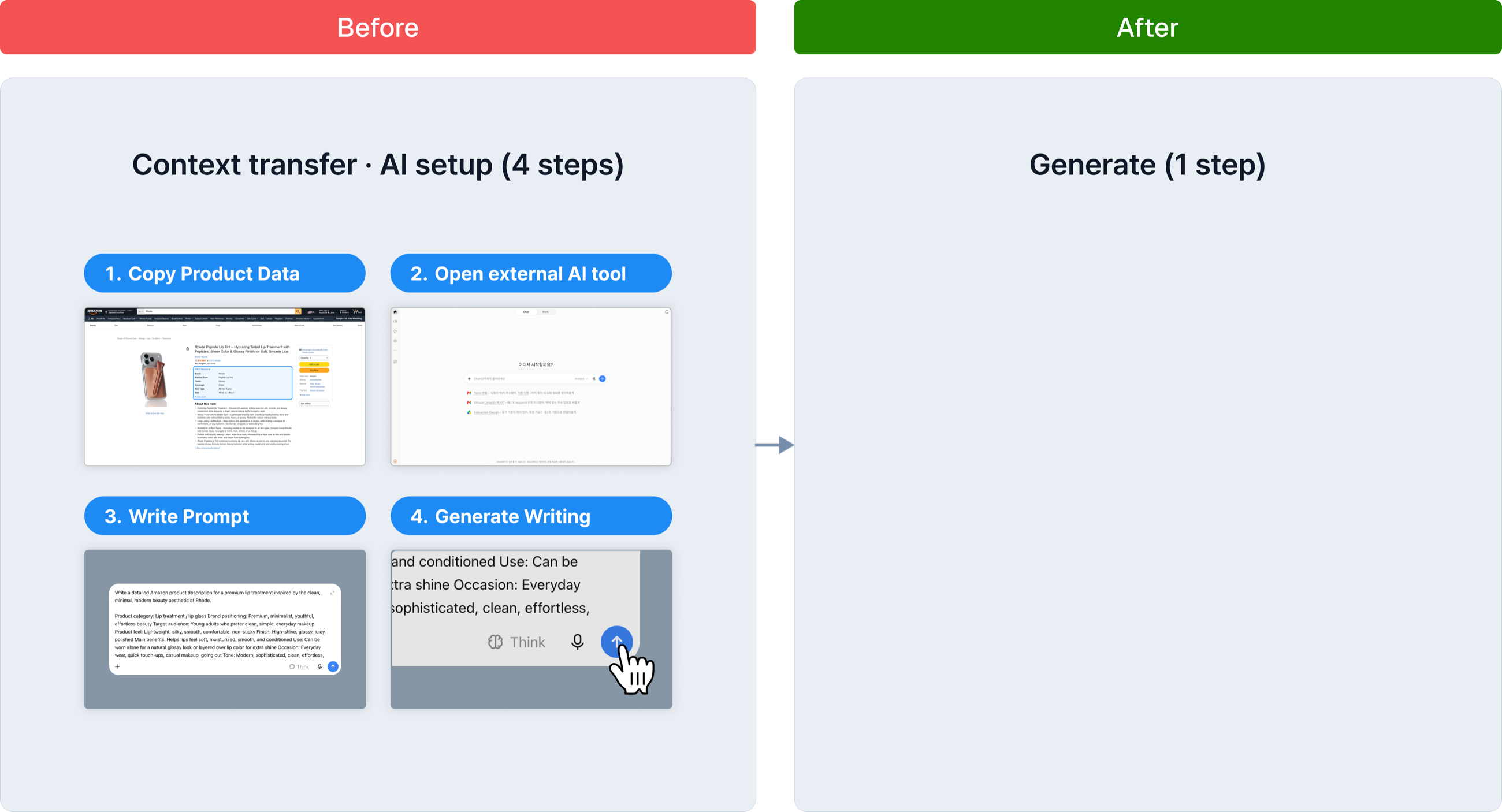
Before: Sellers had to copy product data, switch tools, and rebuild context as a prompt.
After: Since these steps required no seller judgment, I combined them into one Generate action using data Windly already had.
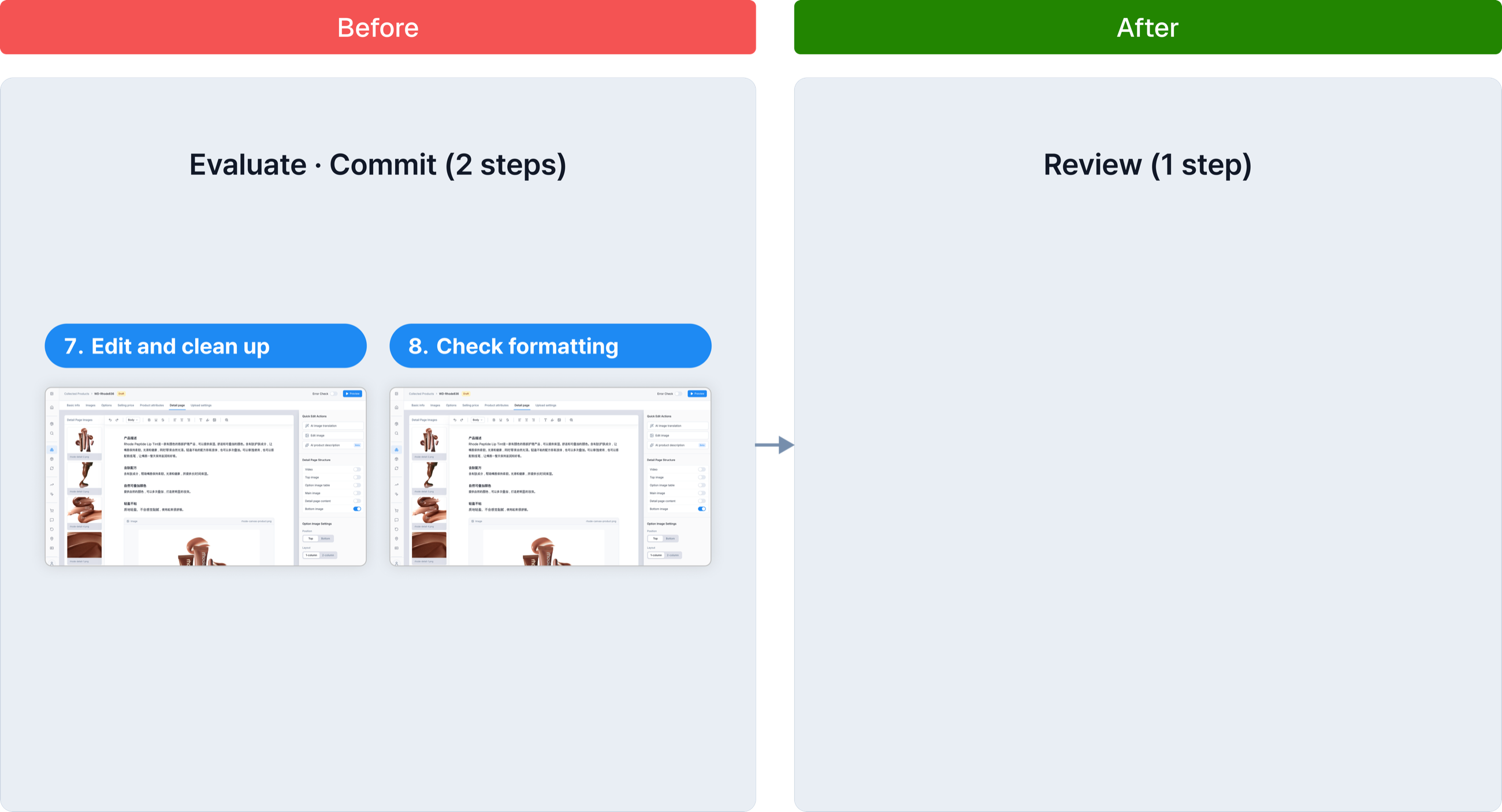
Before: Sellers could only edit and verify the result after moving it back into Windly, forcing them to commit before they could judge its quality.
After: Because quality still required seller judgment, I made the draft editable and moved Review before insertion, separating evaluation from commitment.
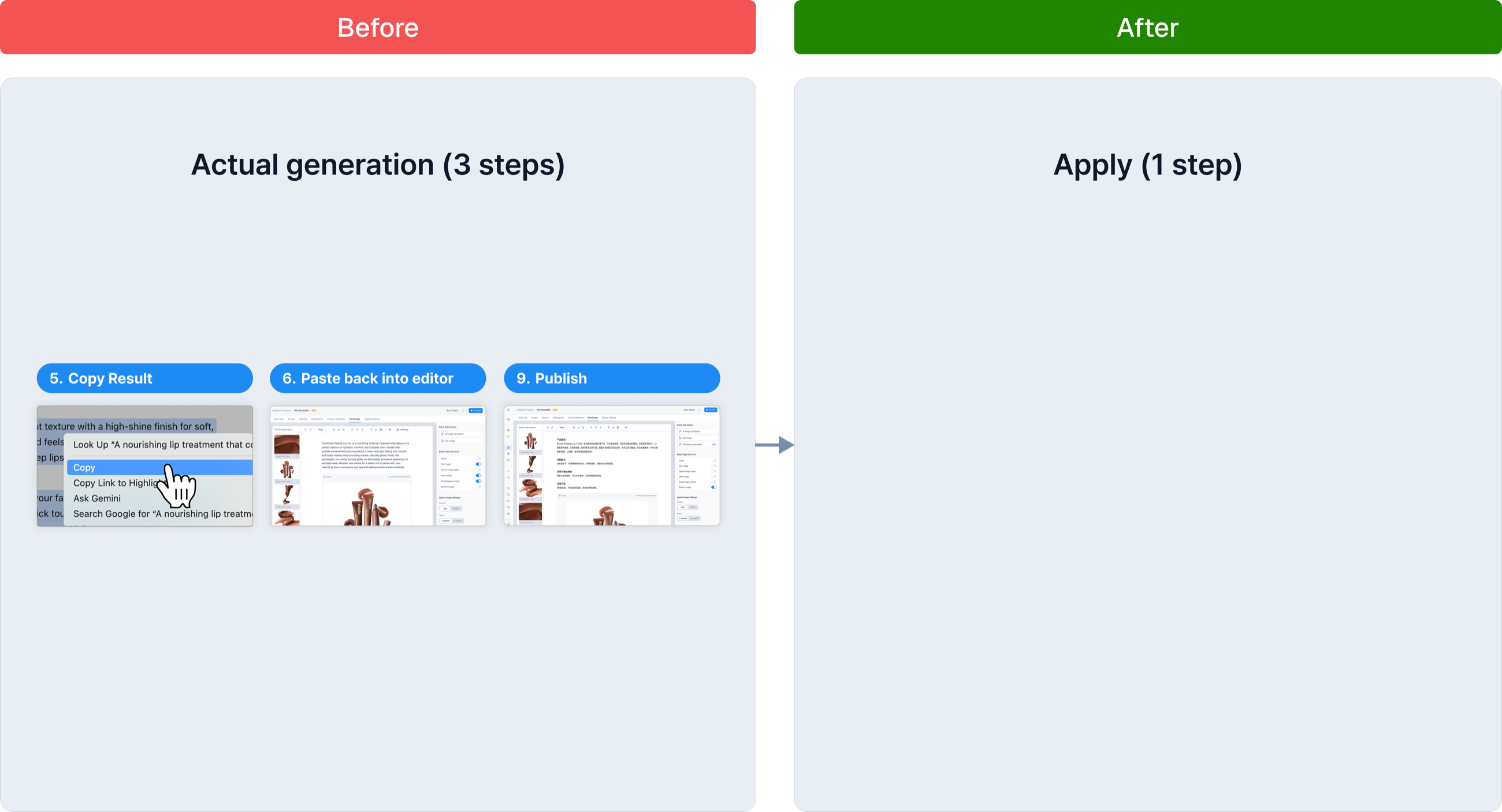
Before: Sellers manually copied and pasted approved content back into the editor, adding effort without adding judgment.
After: I automated this mechanical transfer while keeping Apply explicit, so sellers controlled exactly when AI-generated content changed the listing.
Final Outcome
Before (9 step)
- 1Copy product data
- 2Open external AI tool
- 3Write prompt
- 4Generate
- 5Copy result
- 6Paste back into editor
- 7Edit and clean up
- 8Check formatting
- 9Publish
After (3 step)
- 1Generate — Click the Generate button
- 2Review — Checks structure, tone, and content
- 3Apply — Copy is inserted directly into the editor
08 Interaction Exploration
01 Entry point
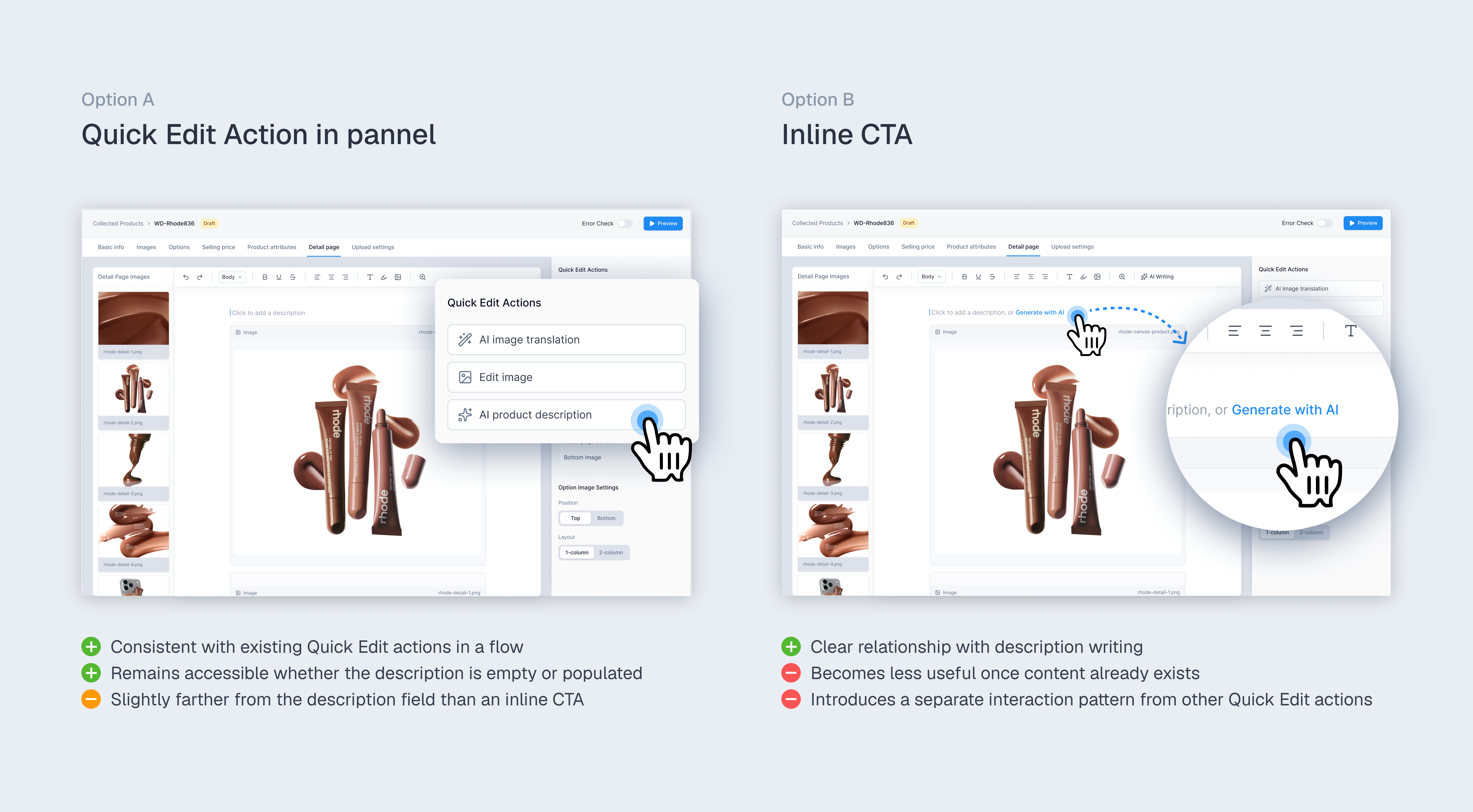
Where should AI enter the seller's workflow?
I prioritized persistent access and consistency with existing editing patterns over maximum proximity to the description field. AI Writing lives in Quick Edit Actions, where it remains accessible whether the description is empty or already populated.
Sellers leave Windly to open ChatGPT/Gemini.
How can sellers start AI writing without leaving the editor?
02 Generation
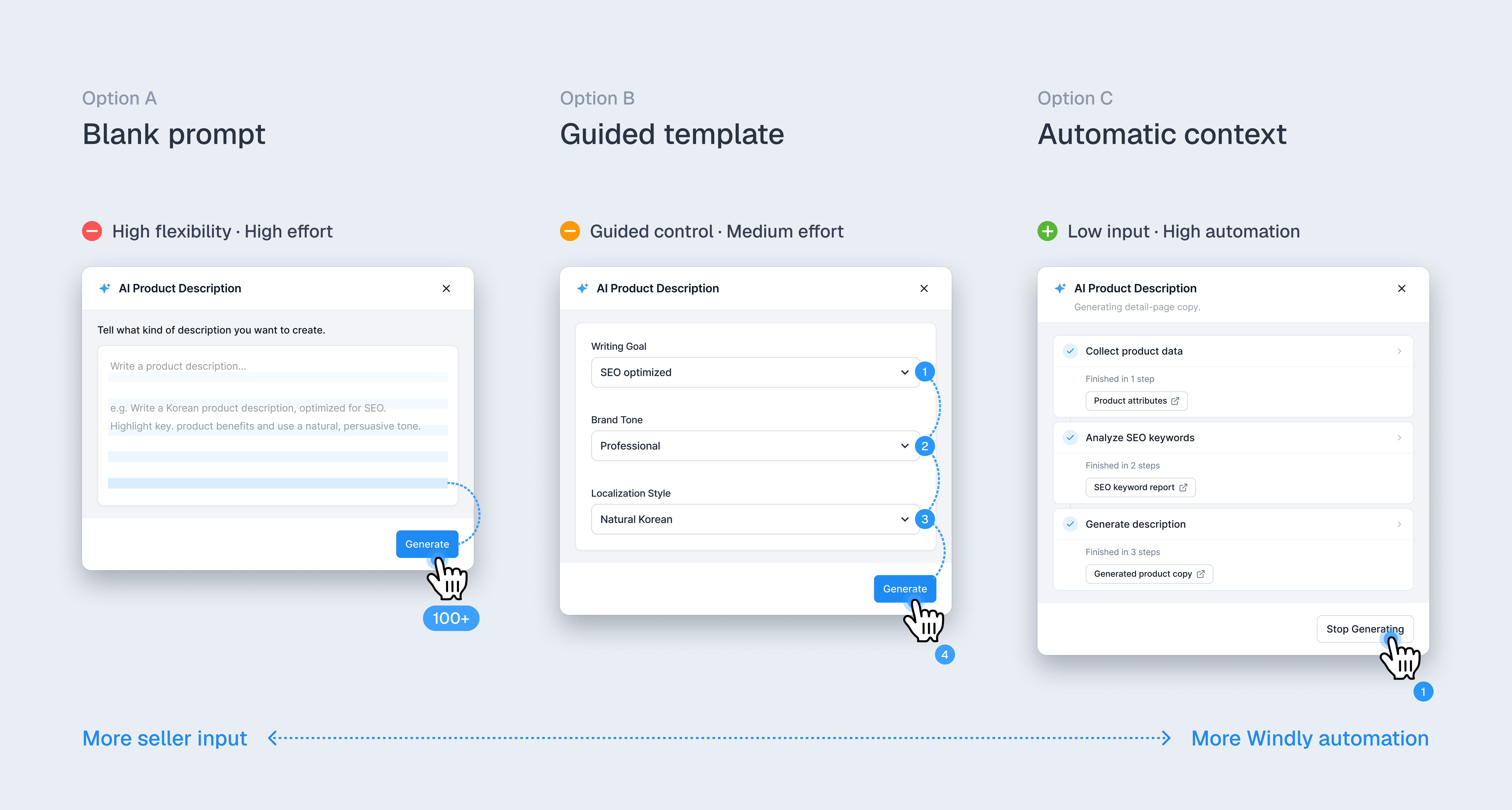
How much work should AI take over?
Automate the repetitive input, not the final decision. I removed manual prompting from the default flow and used Windly's existing product data and recurring writing criteria to prepare the AI input automatically.
Users repeatedly followed this process: Copy product data → Open ChatGPT → Write prompt → Generate → Copy result → Return to Windly
What should sellers still provide, and what can Windly automate?
03 Review
When should AI output be committed?
Written by AI, approved by sellers. I kept generated content as a draft until sellers reviewed, edited, and explicitly added it to their listing. After testing both options, I chose Review before applying, allowing sellers to verify, edit, and approve AI-generated content before it entered their listing.
Sellers reviewed and edited AI-generated copy before using it in their listings.
How can sellers stay in control before AI-generated content changes their listing?
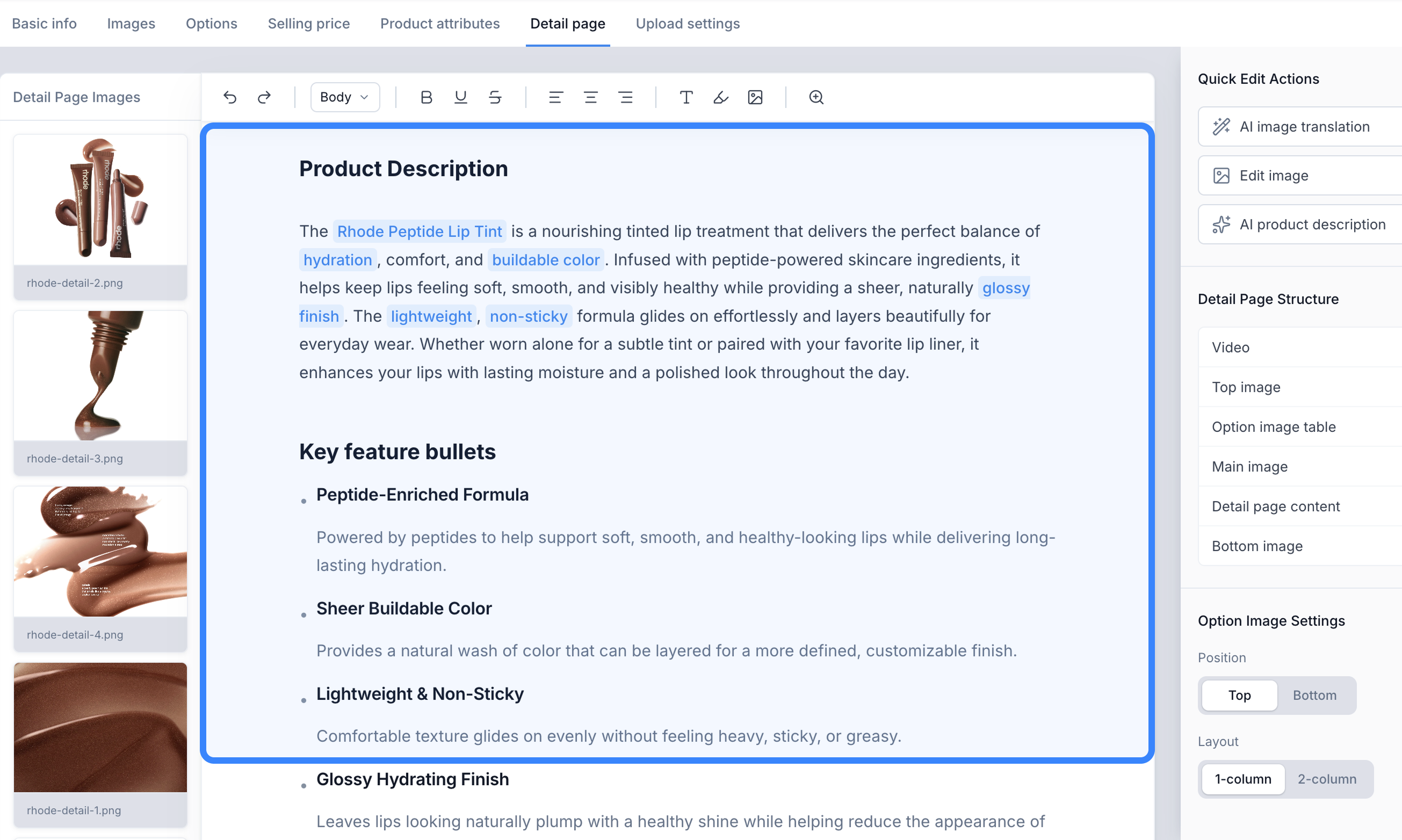
Option A: Direct application
Fastest path to completion.
Blurs AI output and approved content.
Option B: Review before applying
Control to review and approve the result.
Adds one step before applying.
04 Trust & Verification
How can sellers trust AI-generated descriptions?
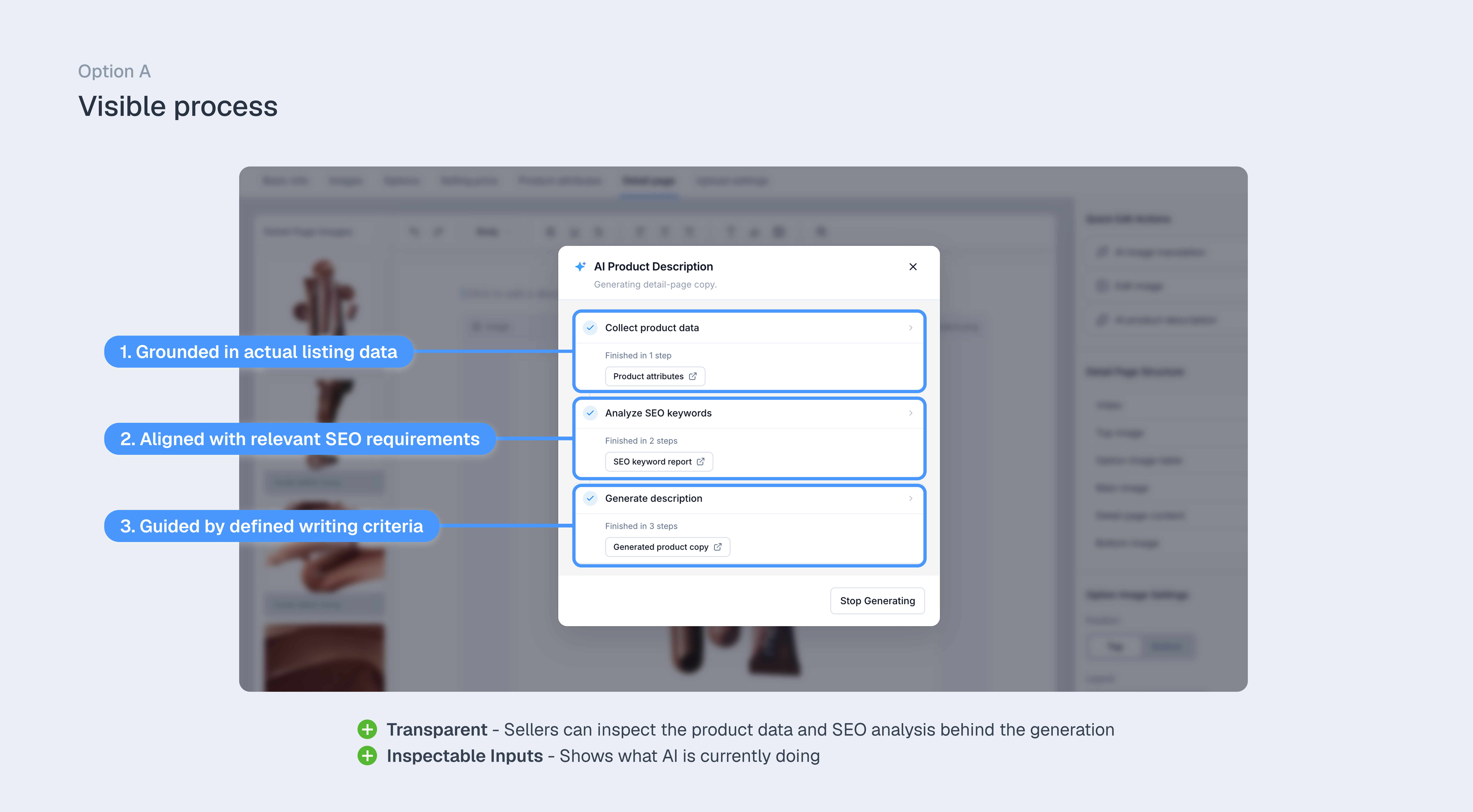
Make the evidence behind AI output inspectable. Sellers needed to verify that generated descriptions reflected their product data and SEO requirements, so I made these inputs visible and inspectable.
“I’m not sure what the description is based on. How do I know it actually uses the right SEO keywords?”
How can sellers verify that AI-generated descriptions reflect their requirements?
09 AI Output
Designing the AI output
The quality of the workflow depended on the quality of the generated copy. I designed the output structure around the information sellers needed to publish a product listing quickly.
10 Impact
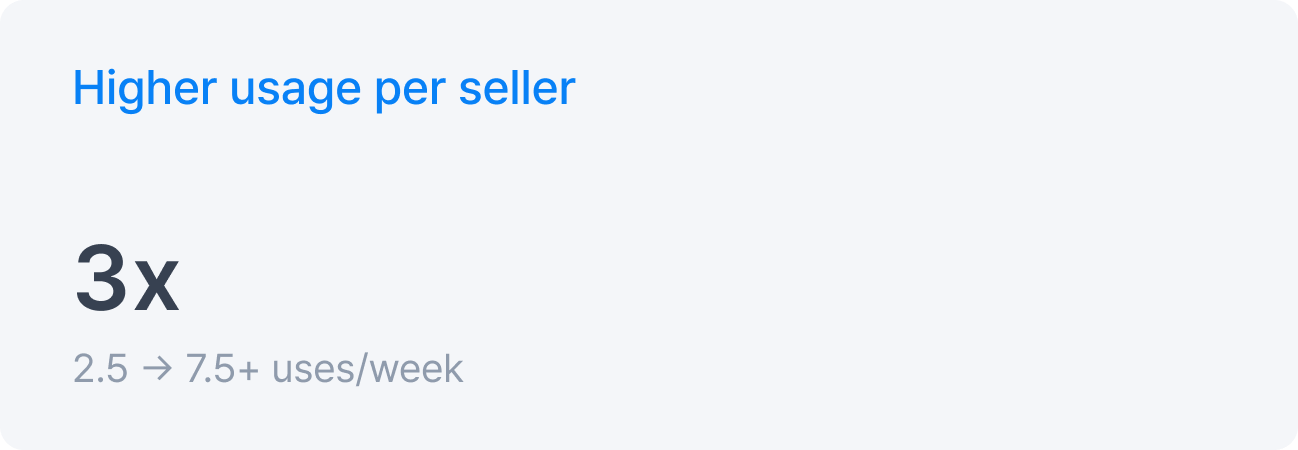
AI Writing became part of sellers’ listing workflow.
Within 30 days of launch, adoption and repeat usage increased while sellers reported positive early satisfaction.


11 Try It
Try the AI product description
What I learned
AI adoption worked when the feature was placed at the workflow break. Sellers did not need a separate AI tool. They needed a faster way to complete the task they were already doing.